About Glyph Warden: Pinyin Typing Defense
Glyph Warden: Pinyin Typing Defense is a free online Word & Quiz game that runs right in your browser. There is nothing to download and no account to create: press Play and you are in. It works on desktop, laptop, tablet and mobile.
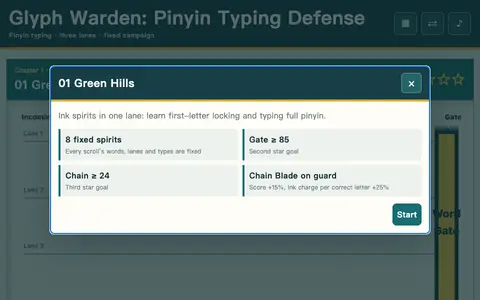
A typing defense game for learning Chinese pinyin. Chinese words march down three lanes toward your gate seal; type each word's pinyin on your keyboard to purify it before it arrives. The first letter auto-locks the nearest matching word, and four spirit types behave differently: ink, swift, armored and wandering. Pick one of three wardens, chain correct letters to charge an ink quake that pushes everything back, and clear twelve scrolls for three stars each. Controls: type A–Z, Space for ink quake, Esc to pause; full on-screen keyboard on mobile.
How to play
Press the Play button to load the game. Most games are played with the mouse or by tapping the screen; keyboard games use the arrow keys, WASD or the space bar. Read the in-game instructions for the exact controls, and use the fullscreen button for the best experience.
Frequently asked questions
Is Glyph Warden: Pinyin Typing Defense free?+
Yes. Glyph Warden: Pinyin Typing Defense is completely free to play in your browser. You do not need to download anything or create an account.
Can I play Glyph Warden: Pinyin Typing Defense on my phone?+
Yes. Glyph Warden: Pinyin Typing Defense works in modern mobile browsers on iPhone, iPad and Android phones, as well as on Windows, Mac, Linux and Chromebook computers.
Is my progress saved?+
Scores and progress are stored locally in your browser on this device. Clearing your browser data will reset them.
Who made Glyph Warden: Pinyin Typing Defense?+
Glyph Warden: Pinyin Typing Defense is an open-source game by wangzifan396-wzf, published under the MIT license.
Credits
Created by wangzifan396-wzf. Open source under the MIT license. Source code ↗